RoomForge 1.0.0
A downloadable tool for Windows
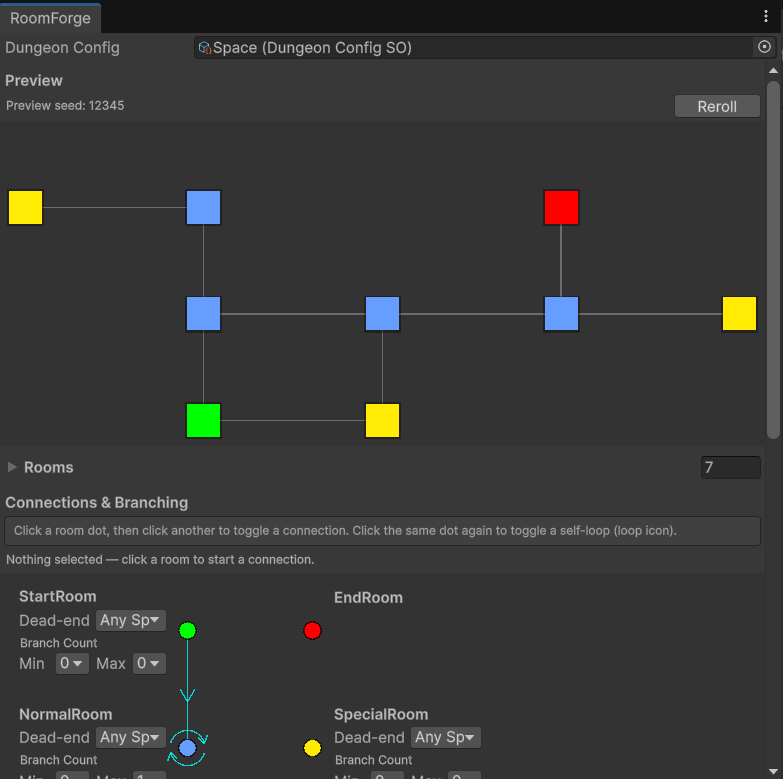
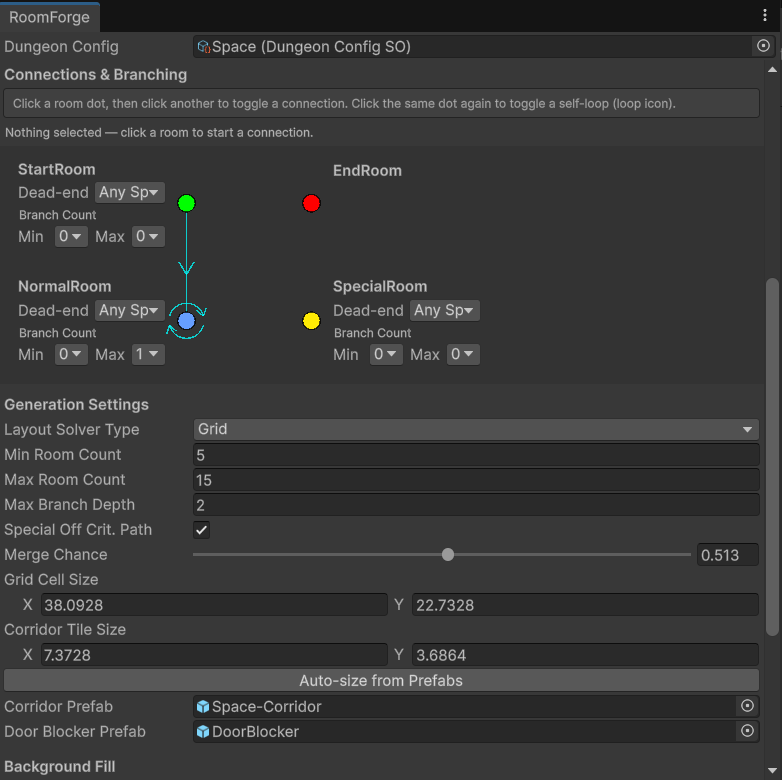
RoomForge is a procedural 2D dungeon generator for Unity. You set up the rules in a visual editor window — which room types can connect to what, how much branching to allow, grid spacing — and it builds a fresh layout at runtime, every run.
No external dependencies. Works with Unity 2021.3 LTS or newer, 2D URP.
### Features
- Visual rule editor (Window → RoomForge) — node graph, live layout preview, no code required to configure
- Runtime generation — fresh dungeon every run
- Two layout solvers: Grid (stable, production-ready) and Compact (experimental, room-size-aware spacing)
- Dynamic corridor generation — L-shaped corridors placed automatically between rooms
- Connectivity validator with auto-retry — guarantees a reachable path from Start to End
- Branch rules with dead-end tags — treasure rooms, shops, custom subtypes
- SpawnPoint system — drop enemies and loot via OnRoomPlaced event
- Optional background fill via Unity Tilemap
- Working example included: Space-themed room set with a ready-to-run config
### Known limitations
- Every room prefab needs all 4 door openings pre-drawn — RoomForge doesn't rotate or mirror rooms
- Only 4 cardinal neighbors (N/S/E/W), no diagonal corridors
- No built-in progression primitives (locked doors, mandatory forks) — just the data to build your own
### Performance
30 rooms with no branching generate in a median ~5ms (~×14 headroom against a 100ms target).
Source code & documentation: https://github.com/KishTeo/room-forge
Download
Install instructions
1. Download RoomForge_v1.0.0.zip and unpack it
2. Drop the RoomForge folder into your Unity project's Assets/ directory
3. Open Unity — the package compiles automatically, no setup needed
4. Go to Window → RoomForge to open the visual editor
5. Try the included Space example: open Assets/RoomForge/SO/Space.asset to see a working config
Note: requires Unity 2021.3 LTS or newer, 2D URP project
Leave a comment
Log in with itch.io to leave a comment.